

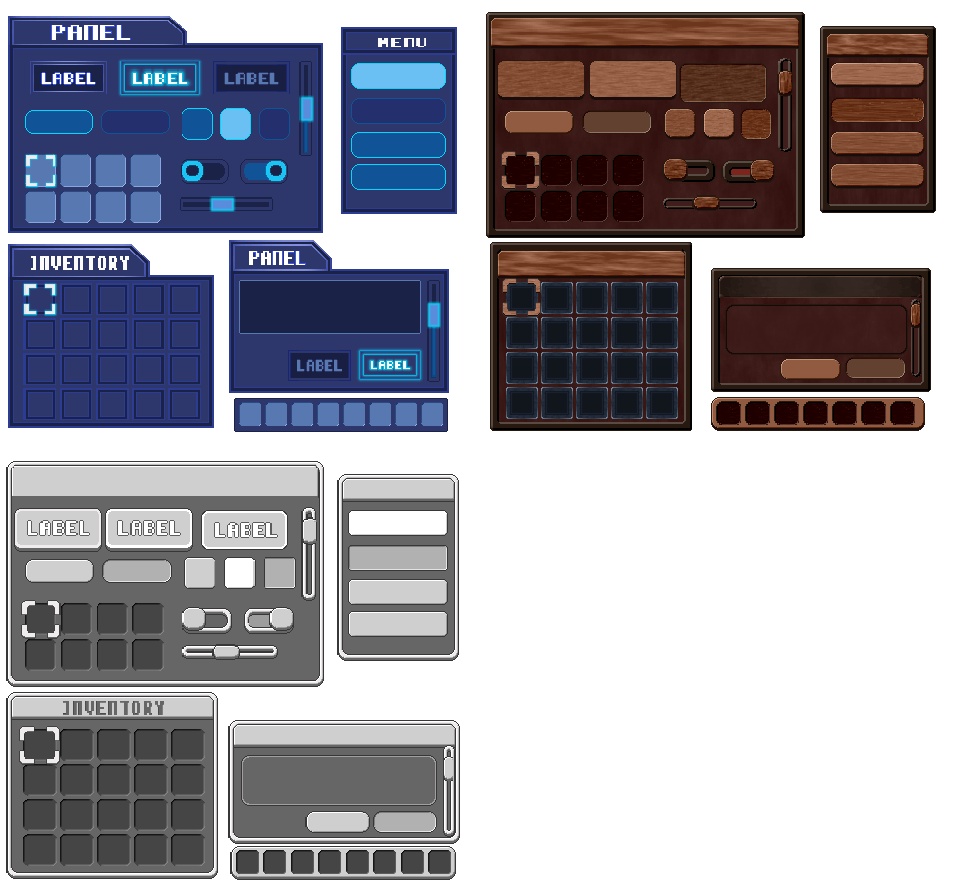
Included starter packs
PixMold comes with editable starter packs and material examples to help you explore different UI workflows, from styled interface kits to simple boilerplate elements you can reshape for your own project.
Aseprite UI workflow
Build panels, buttons, slots, titles, and styled interface elements in Aseprite. Keep them organized as editable projects with reusable elements, states, layers, previews, and export-ready outputs.
PixMold comes with editable starter packs and material examples to help you explore different UI workflows, from styled interface kits to simple boilerplate elements you can reshape for your own project.
Starter packs are editable examples, not fixed art styles — use them as workflow starting points and reshape them for your own game.
WORKFLOW DEMOS
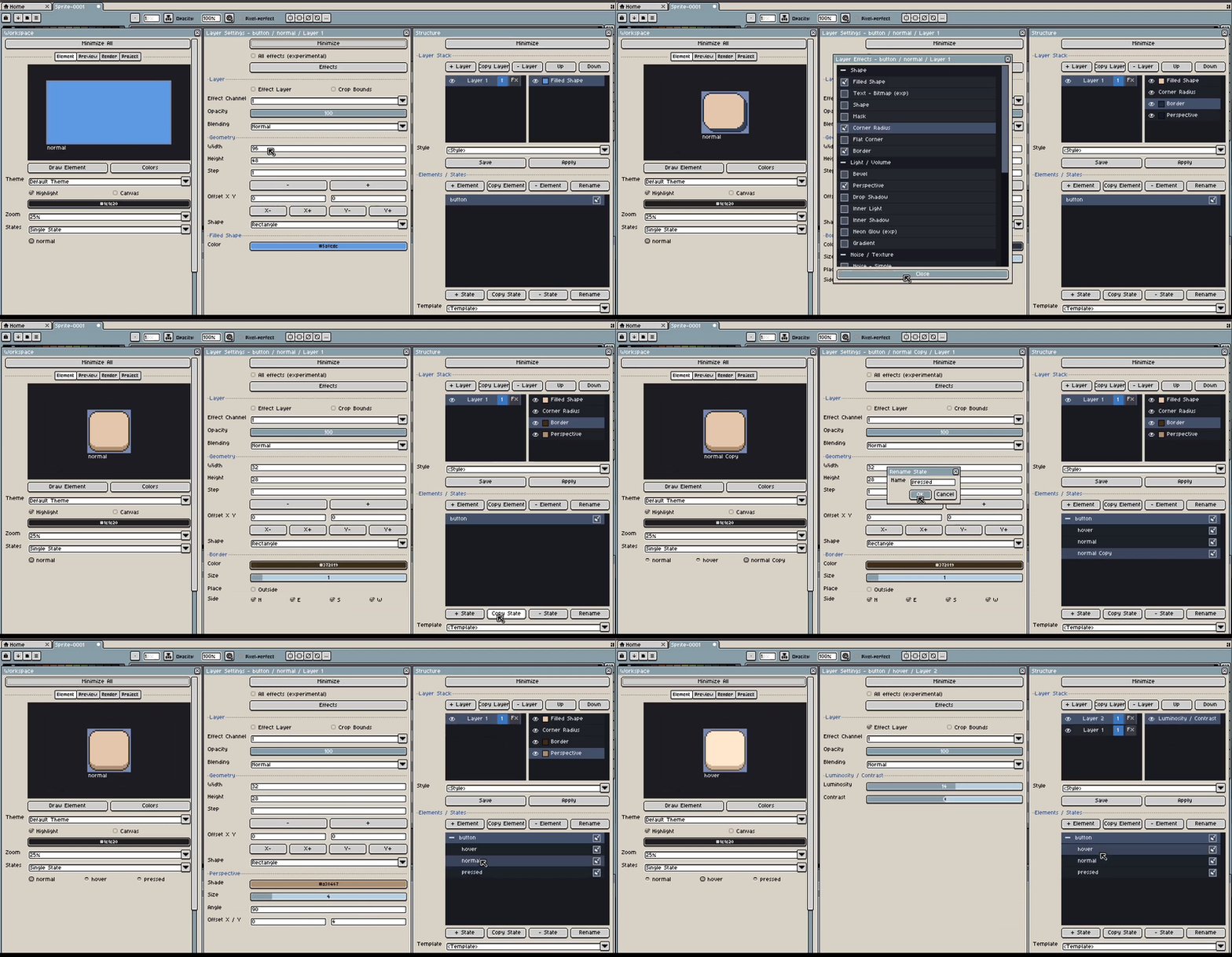
Build a component, then add the state variations needed by the interface.
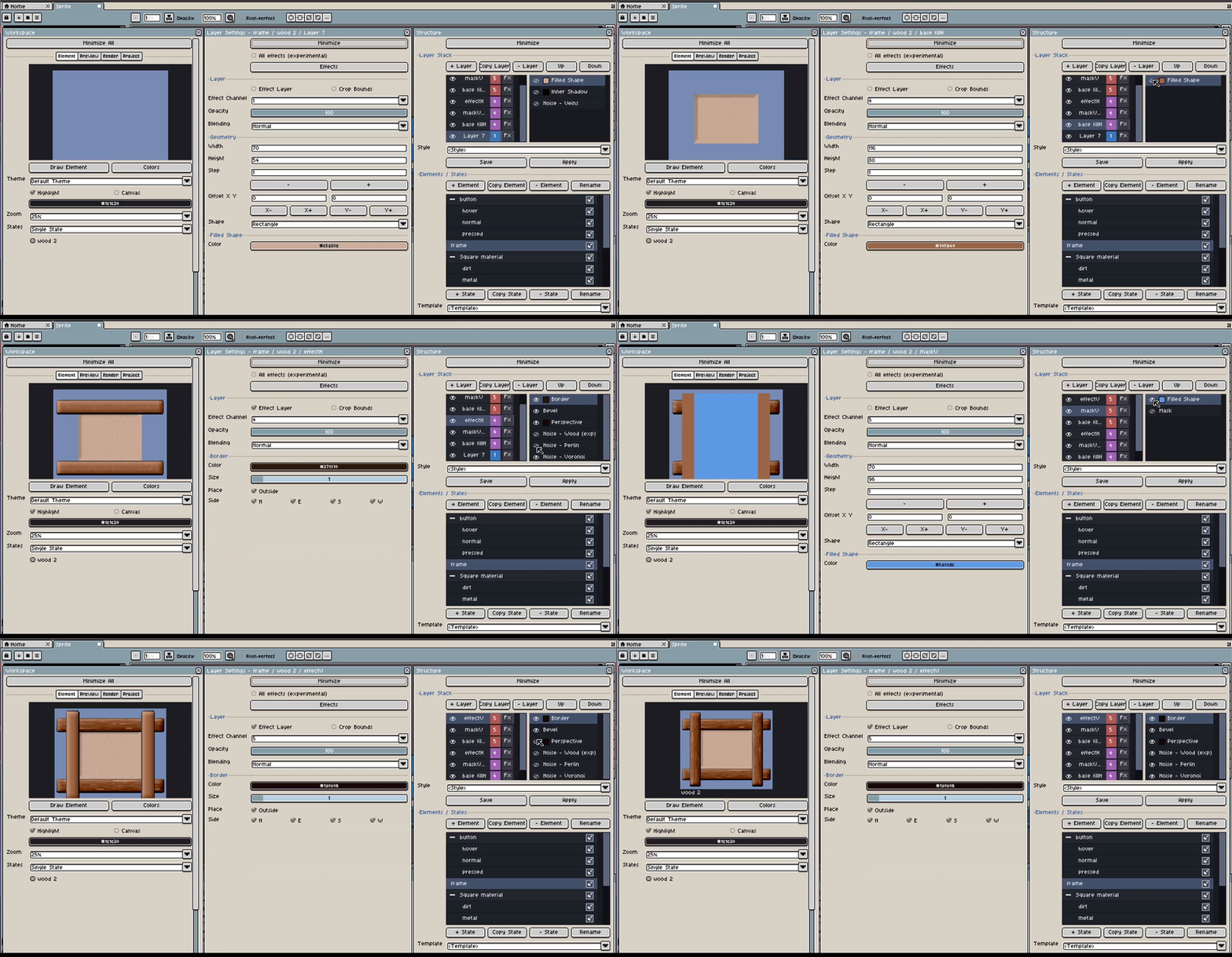
Adjust geometry and effects while the generated pixel-art frame updates in place.
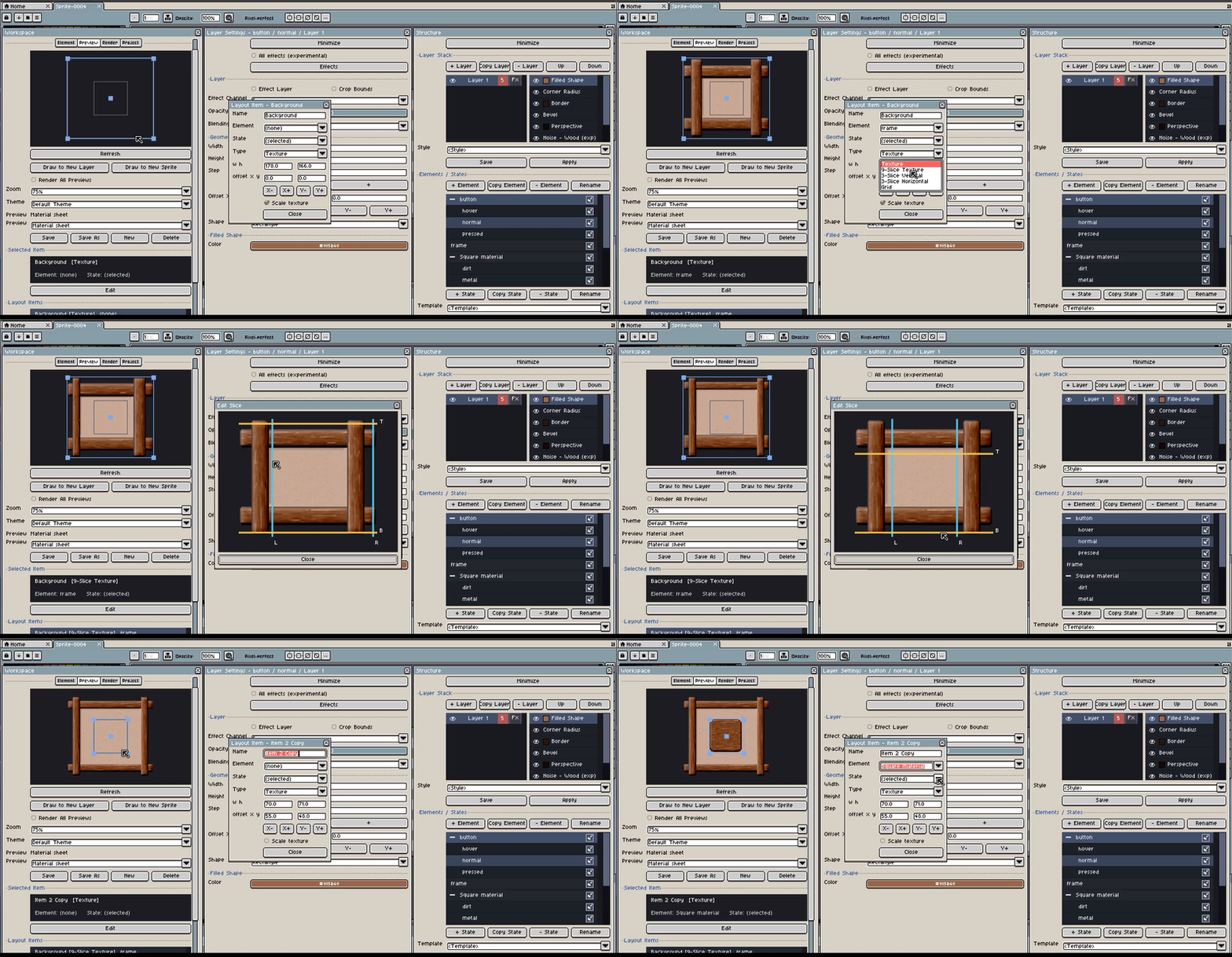
Stretch reusable panel parts without losing the intended borders and corners.
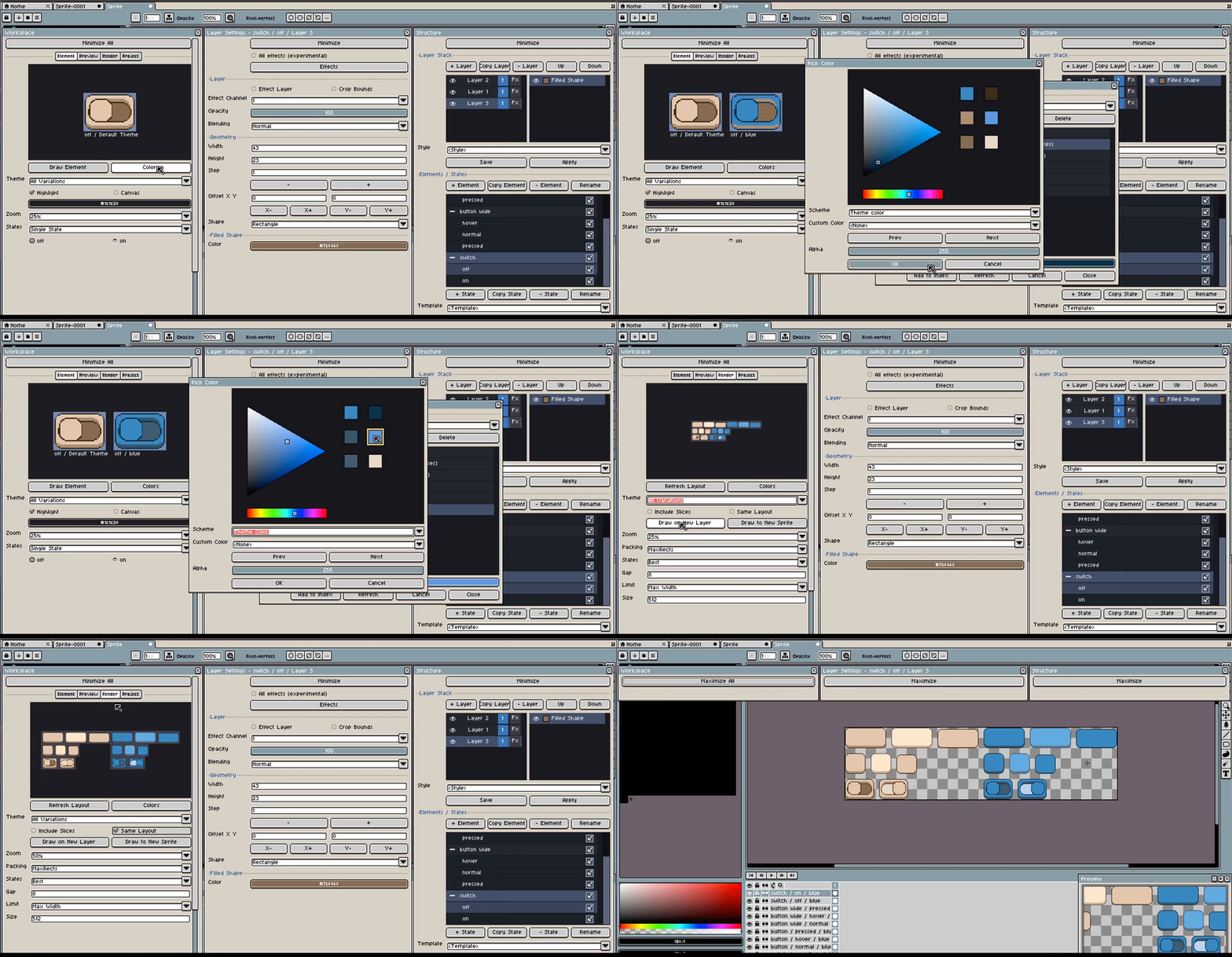
Test named color variations across the same component sheet.
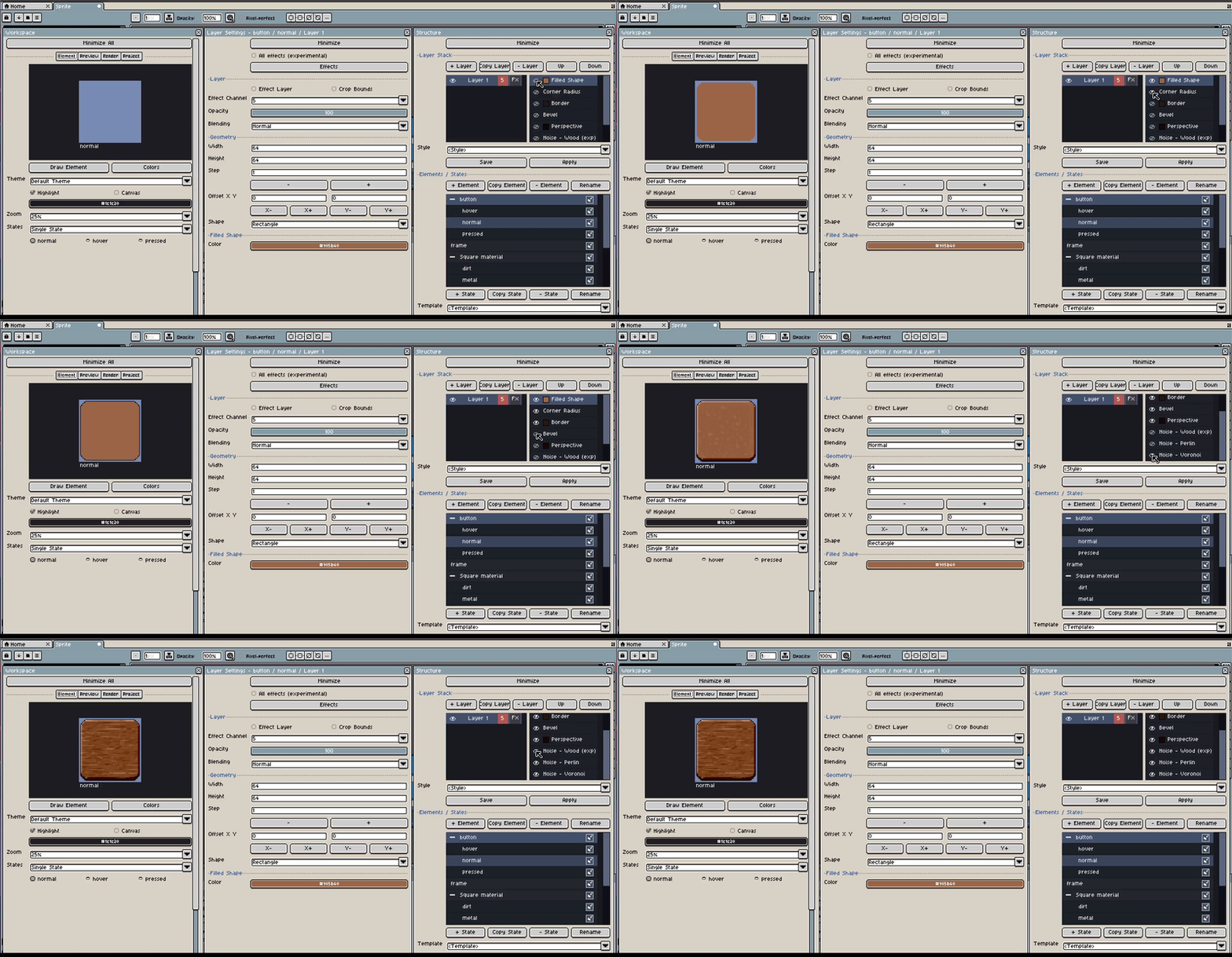
Layer texture and noise effects to produce reusable material variants.
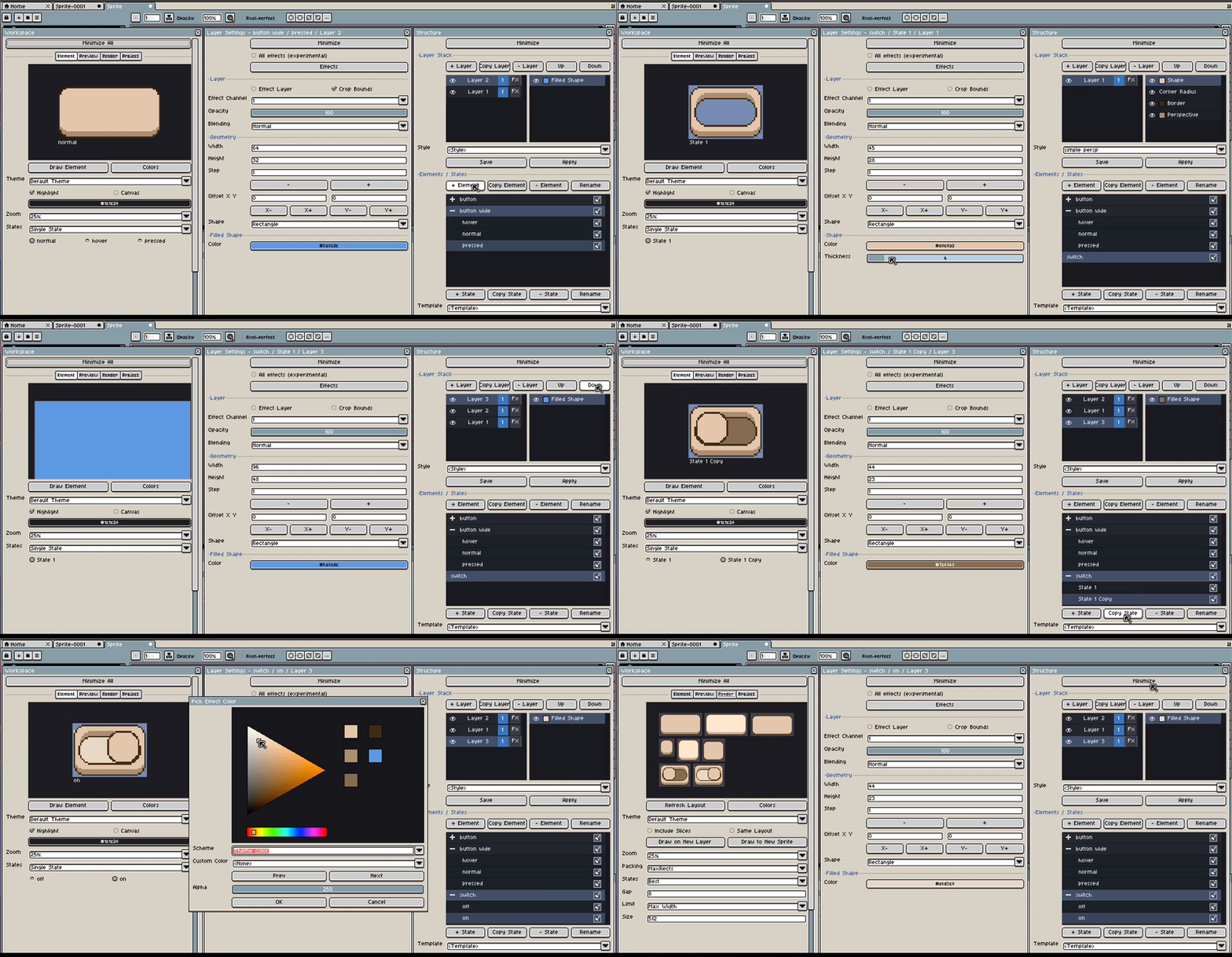
Compose a practical control with distinct visual states.
Build a component, then add the state variations needed by the interface.